
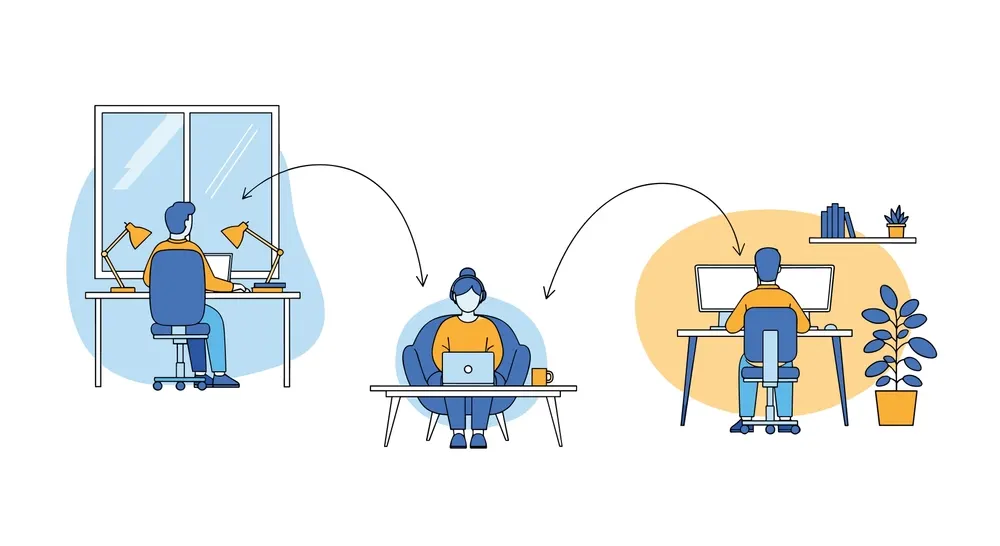
Remote work is no longer an experiment — it’s the new normal for creative teams worldwide. But with distance comes fragmentation, missed messages, and workflow bottlenecks. To stay efficient, remote designers rely heavily on the right collaboration tools for remote teams, ensuring everyone stays aligned across feedback loops, creative reviews, and project timelines.
In 2026, remote design teams need more than just basic chat apps. They require tools that streamline ideation, centralize feedback, improve design handoff, and eliminate the chaos of scattered communication. This list highlights the seven collaboration tools every remote design team needs in 2026, along with a unique perspective on how each one strengthens modern creative workflows.
Why Remote Design Teams Need Strong Collaboration Tools
Design work is deeply collaborative by nature. When teams work remotely, challenges intensify:
- Feedback becomes fragmented across Slack, emails, and calls.
- Design iteration slows when teams work in different time zones.
- Handoffs to developers become error-prone without clear documentation.
- Clients struggle to provide structured feedback on visuals or prototypes.
Modern collaboration tools for remote teams solve these issues by connecting feedback, creative files, communication, and project management in one ecosystem. When used together, these tools create a seamless digital workplace where designers can focus on creativity instead of chasing clarity.
1. Figma – The Real-Time Design Powerhouse
Figma remains the gold standard for remote design collaboration in 2026. It’s fully cloud-based, meaning designers, developers, and clients can work inside the same file simultaneously.
Key Features
- Real-time multi-user editing
- Shared design systems
- Interactive prototyping
- Comments and version history
Why Remote Teams Need It
No tool matches Figma’s ability to bring global teams into one design environment. It eliminates file sharing chaos and keeps every stakeholder aligned.
2. Miro – Visual Collaboration for Brainstorming & Strategy
Before designs take form, ideas need structure. Miro provides a shared space where teams can brainstorm, whiteboard, and map concepts visually.
Key Features
- Infinite collaborative canvas
- Ready-made wireframing and UX templates
- Sticky notes, mind maps, and flowcharts
- Real-time collaboration
Unique Take
Miro acts as the “pre-design room,” enabling designers and strategists to refine early concepts before moving to Figma.
3. BugSmash – Visual Feedback & Cross-Format Review Tool
While not a design editor, BugSmash has become essential for remote design teams who need frictionless feedback loops. It centralizes comments on live websites, prototypes, images, PDFs, videos, and app screens, making asynchronous collaboration faster and clearer.
Key Features
- Pinpoint comments and visual annotations
- Shareable links (no login needed for clients)
- Slack, Jira, Trello integrations
- Multi-format review support
Why It Matters
Remote teams often struggle with vague feedback. BugSmash solves this by making every comment visual and contextual — reducing confusion, meetings, and revision cycles.
4. Notion – The Knowledge Hub for Distributed Teams
Notion is the digital HQ for most remote design teams in 2026. It serves as documentation, project management, design system tracker, and knowledge base.
Key Features
- Collaborative docs and databases
- Kanban boards and workflows
- Embeds for Figma, Miro, and videos
- Customizable templates
Unique Take
Notion replaces scattered documentation by creating a central source of truth for the entire design process.
5. Slack – Real-Time Communication for Creative Teams
Slack continues to lead in remote communication. With channels, threads, integrations, and voice notes, Slack gives remote designers a fast way to stay connected.
Key Features
- Organized channels for tasks or clients
- Instant messaging and huddles
- Deep integrations with design tools
- Notification control for async teams
Why It Works
Slack’s integration ecosystem automates updates from tools like Figma, GitHub, and BugSmash, keeping everyone aligned without manual follow-ups.
6. Loom – Quick Video Explanations That Replace Meetings
Not every explanation needs a meeting. Loom helps remote designers share visual walkthroughs or design rationales via short video recordings.
Key Features
- Screen + camera recording
- Automatic transcription
- Shareable links
- Emoji and comment reactions
Why Remote Teams Love It
It enables async clarity — a designer in a different time zone can explain decisions without scheduling a call.
7. Trello – Lightweight Project Management for Creative Work
Trello remains popular for teams that prefer Kanban-based simplicity. For design teams who don’t need heavy PM tools, Trello strikes the right balance.
Key Features
- Drag-and-drop task boards
- Labels, deadlines, checklists
- Power-ups including Figma and Slack
- Client-friendly visibility
Unique Take
Trello gives structure without overwhelming creatives — perfect for smaller remote teams or multi-project agencies.
How to Choose the Right Collaboration Tools for Remote Teams
Every remote design team has different needs — but here are the three biggest factors that matter:
1. Type of Collaboration Needed
- Ideation? → Miro
- Design? → Figma
- Review and approval? → BugSmash
- Communication? → Slack
Map tools to stages of your workflow instead of picking randomly.
2. Team Size & Complexity
Bigger teams need strong integrations and shared systems. Smaller teams benefit from simpler tools like Trello.
3. Client Involvement Level
If clients review often, choose tools with no-login feedback and visual clarity. This is where BugSmash adds real value.
FAQs About Collaboration Tools for Remote Design Teams
1. What are the must-have collaboration tools for remote design teams?
Figma, Miro, BugSmash, Notion, Slack, Loom, and Trello cover the full design lifecycle.
2. Why are collaboration tools important for remote teams?
They eliminate communication gaps, speed up reviews, and ensure everyone works from the same source of truth.
3. Can these tools be used by hybrid teams?
Absolutely — they work equally well for remote, hybrid, and distributed teams.
4. What is the best tool for visual design feedback?
BugSmash, because it supports multi-format reviews with pinpoint annotations and client-friendly links.
5. How can teams avoid tool overload?
Choose one tool per workflow stage, and integrate them to avoid duplicating work.
Conclusion
In 2026, remote design teams don’t need more meetings — they need smarter systems. The seven collaboration tools for remote teams listed here form a complete ecosystem for brainstorming, designing, reviewing, communicating, and shipping creative work efficiently.
Figma and Miro help teams create together. Slack and Loom keep conversations flowing. Notion and Trello bring structure. And BugSmash ensures every piece of creative gets clear, visual feedback without chaos.
When combined, these tools give remote design teams the confidence to collaborate seamlessly, no matter where they are in the world.


Leave a Reply