
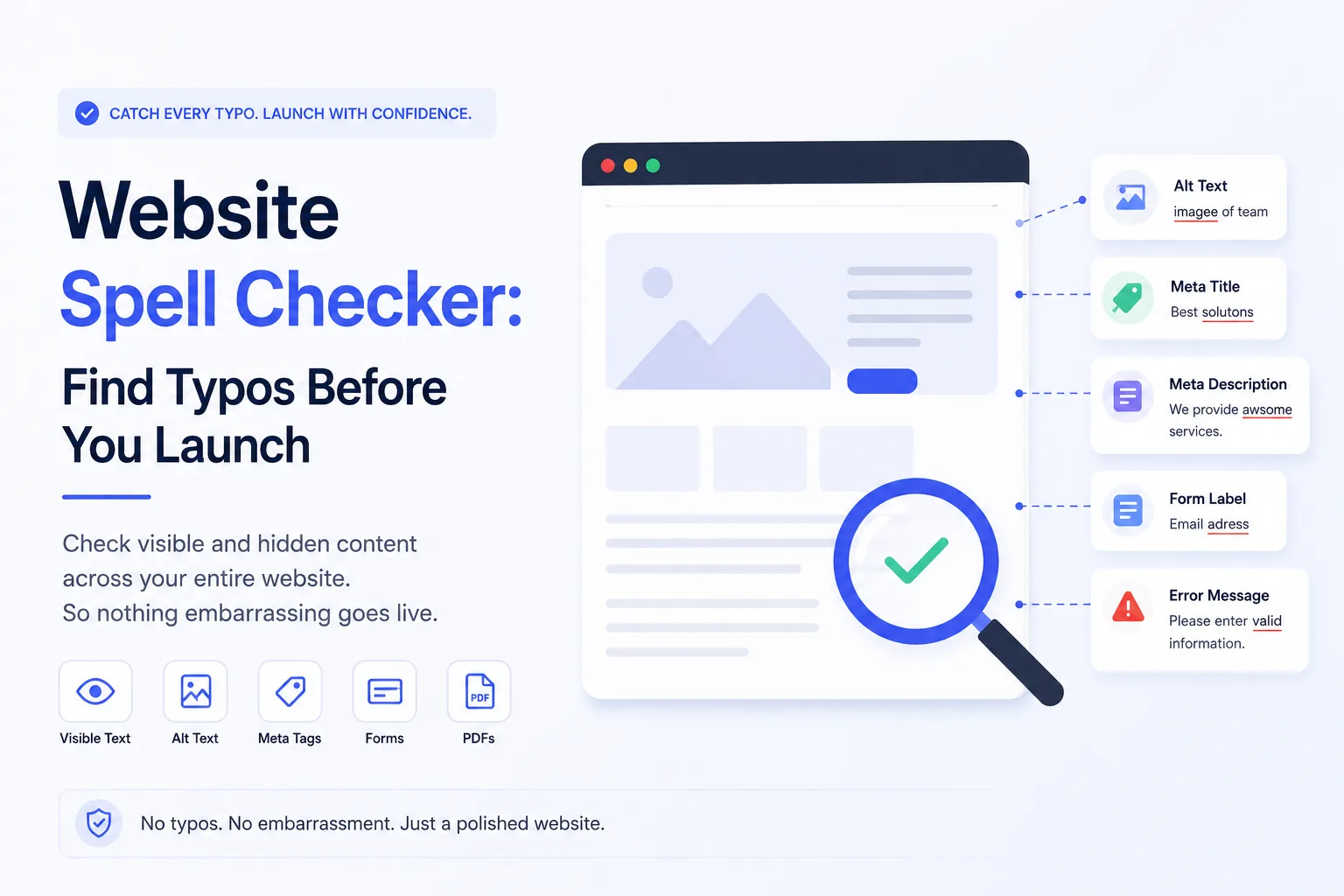
You’ve polished your homepage copy, proofread your blog posts, and double-checked your headlines. Then launch day arrives, and a customer emails you a screenshot pointing out a typo in your footer, or worse, in an alt tag nobody thought to review. This happens more often than you’d think, because most teams only proofread the text they can see on the page. A proper website spell checker needs to dig into places most people forget: image alt text, meta descriptions, form labels, error messages, and PDF downloads. This guide walks through exactly how to catch every typo before your visitors do.
Why Spell-Checking a Website Is Harder Than Spell-Checking a Document
A Word document is one continuous block of text. A website is dozens of scattered fragments spread across templates, plugins, code snippets, and third-party widgets. Your homepage alone might pull text from a CMS field, a navigation menu, a chatbot script, and a footer widget, each one edited by a different person at a different time.
That’s why relying on your eyes (or a single page’s browser spell check) leaves so much room for error. Spelling mistakes hide in:
- Alt text and image captions
- Meta titles and meta descriptions
- Button labels and CTAs (“Sumbit” instead of “Submit” is shockingly common)
- Form validation and error messages
- Downloadable PDFs, brochures, and case studies
- Comment sections and user-generated content
- Cookie banners and legal disclaimers
Each of these lives in a different part of your site’s backend, which is exactly why they get skipped during a normal proofreading pass.
The Real Cost of a Typo Nobody Caught
A stray typo won’t crash your site, but it chips away at something harder to rebuild: trust. Visitors quietly associate sloppy copy with sloppy service. If a fintech landing page misspells “guarnateed returns,” would you trust it with your money? Search engines pick up on this too. Google’s helpful content guidelines reward pages that feel well-maintained and penalize thin, careless content, and typos are one of the easiest signals of neglect.
There’s also an accessibility angle people rarely consider. Screen readers read alt text aloud exactly as written. A misspelled word doesn’t just look bad; it sounds bad, and it can confuse users who rely on that text to understand an image.
SEO Impact of Typos You Might Be Missing
Misspelled keywords in your meta descriptions or headers can quietly tank your click-through rate, even if your rankings hold steady. A meta description with a typo looks unprofessional in search results, and users scroll right past it. Worse, if the misspelling is in your target keyword phrase itself, you’re essentially optimizing for a term nobody searches.
A Step-by-Step Way to Catch Everything
1. Start With a Full-Site Crawl
Instead of checking pages one at a time, use a crawler-based tool that scans your entire domain, including pages buried three clicks deep that you might forget exist.
2. Check Non-Visible Text Separately
Most spell checkers only scan visible page text. Make it a habit to pull a report of your alt tags, meta titles, and meta descriptions and review them on their own. This is the step almost everyone skips, and it’s where the most embarrassing typos hide.
3. Don’t Forget Your PDFs and Downloadables
If your site hosts whitepapers, pricing sheets, or case studies as PDFs, run those through a separate check. They’re often written months earlier and never revisited before launch.
4. Review Dynamic and User-Facing Text
Error messages, tooltips, and form confirmations are usually written by developers, not copywriters. A quick pass here catches things like “Your massage has been sent” (a real typo that’s made it live more than once).
5. Re-Check After Every Content Update
Spell-checking isn’t a one-time, pre-launch task. Every new blog post, landing page, or product description is a fresh opportunity for a typo to slip through, so build a recheck into your regular publishing workflow, not just your launch checklist.
Our Take: Treat Spell-Checking Like a QA Task, Not a Writing Task
Most teams file spell-checking under “content,” which means it only happens when a writer is involved. But the typos that actually embarrass companies live in code, plugins, and backend fields that writers never touch. The smarter approach is to treat website-wide spell-checking as a QA and bug-detection task, the same category as broken links or slow load times. That’s a mindset shift more than a tool choice, and it’s the difference between catching a typo before launch and catching it in a customer’s screenshot.
FAQ
Does a browser’s built-in spell checker cover my whole website?
No. Browser spell check only reviews text inside editable fields you’re actively typing into. It won’t scan published pages, alt text, or PDFs.
How often should I spell-check my website?
At minimum, before launch and after any major redesign. Ideally, build a quick check into your workflow every time you publish new content.
Can typos actually hurt my SEO rankings?
Indirectly, yes. Typos in meta titles and descriptions can lower click-through rates, and search engines generally favor well-maintained, polished content over pages that look neglected.
What’s the most commonly missed spot for typos?
Image alt text and meta descriptions, by far. They’re invisible on the page itself, so they rarely get proofread alongside the visible copy.
Conclusion
Launching a website without checking the text nobody sees is like proofreading a book but skipping the cover and the blurb. Alt text, meta descriptions, PDFs, and error messages are just as visible to your audience, and to search engines, as your homepage headline. Building a habit of full-site, non-visible-text checks before every launch (and every major update) is a small investment that saves you from a very public, very avoidable mistake.



Leave a Reply