
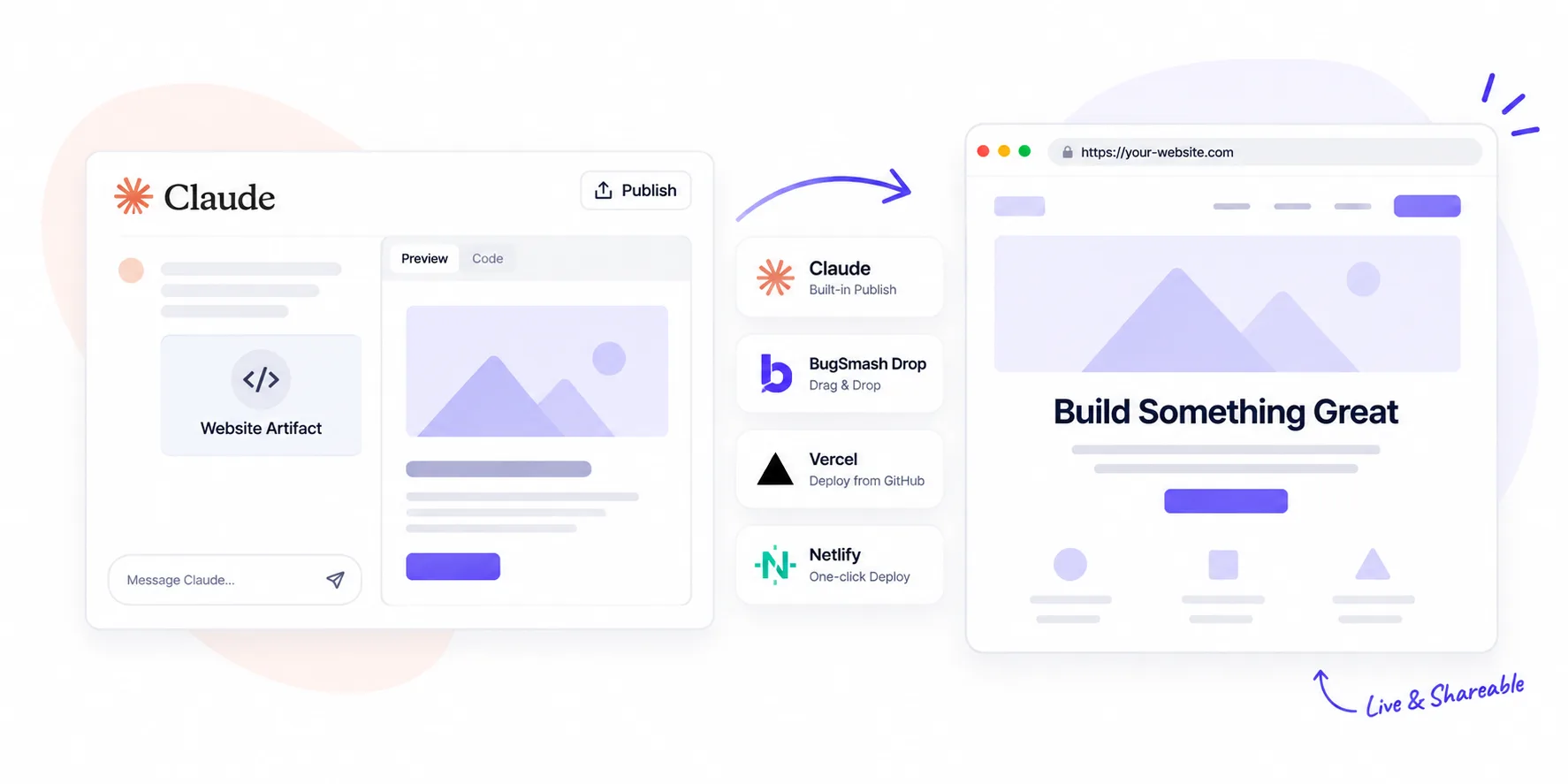
You built something great inside Claude. Maybe it’s a landing page, a small game, a pricing calculator, or a client demo. Now you want to send it to someone without asking them to sign into a chat window. This guide shows you exactly how to publish a Claude artifact as a real, shareable website — one that opens in any browser, works on mobile, and lives on its own URL. We’ll cover the fastest drag-and-drop route, Claude’s built-in option, a developer-friendly setup, and how to layer feedback so the page moves from “shipped” to “actually approved”. No hosting stack required.
What Is a Claude Artifact, Exactly?
A Claude artifact is anything Claude builds inside its side panel — an HTML page, a React component, an SVG graphic, or an interactive widget. By default it lives next to the chat. The moment you want to send it to anyone outside Claude, it needs a home on the open web. That’s the gap this guide closes.
Method 1: Claude’s Built-In Publish Button
Claude has a native Publish option on Free, Pro, and Max plans.
- Open the chat and click your artifact to expand it.
- Hit Share in the top-right corner.
- Choose Publish and copy the link.
- Send it. Viewers don’t need a Claude account.
It’s the fastest first step. The trade-off: the URL sits on an Anthropic domain, custom domains aren’t supported, and if you delete the source chat the link can break. Good for a quick preview; not ideal for anything client-facing you want to keep alive.
Method 2: Publish Your Claude Artifact with BugSmash Drop
If you want an actual website — not a link inside Claude’s viewer — the simplest path is to drag and drop the file. BugSmash Drop is free static site hosting built for exactly this moment. No signup, no credit card, no server setup.
Here’s how to do it:
- In Claude, open your artifact and copy the underlying HTML code.
- Open a text editor (Notepad, TextEdit, VS Code) and paste it in.
- Save the file as
index.html. If you have multiple files — CSS, JS, images, fonts — zip them together. - Go to bugsmash.io/drop.
- Drag the
.htmlfile or.zipinto the uploader — up to 20 MB. - BugSmash validates and deploys it. You get an instant public URL you can share with anyone.
The anonymous link stays live for one hour. Create a free BugSmash account before it expires and it becomes permanent — no re-upload needed.
Why BugSmash Drop and Not Netlify Drop or Cloudflare Drop?
The upload experience is similar. What’s different is what happens after the link is live. With one click, the preview turns into a BugSmash review project — clients and teammates can pin comments directly on the page, mark approvals, and track version history without learning a new tool. Other drop-style hosts stop at the URL; BugSmash starts the conversation.
Useful for:
- Agencies — client previews without a deployment ticket.
- Developers — a link for every quick prototype.
- Designers — interactive handoff instead of another screenshot.
- Freelancers — a polished preview before you wire up a client’s domain.
Method 3: Deploy via GitHub + Vercel or Netlify (Developer Route)
For anything you’ll iterate on for weeks:
- Create a GitHub repo and push your artifact code.
- Connect the repo to Vercel or Netlify with one click.
- Every future commit auto-deploys.
You get version control, preview URLs per change, and a domain you can rebuild anytime. Overkill for a one-off demo — perfect for a long-lived project.
A Note on React and Multi-File Artifacts
If Claude built a React artifact, plain HTML deployment won’t work directly. Two easy fixes:
- Ask Claude to convert the artifact into a self-contained HTML file that loads React and Babel from a CDN. Then it drops into BugSmash Drop like any other single-file site.
- Or push the raw React project to GitHub and let Vercel or Netlify handle the build step.
Which Method Should You Pick?
A quick rule of thumb:
- Quick internal preview? Claude’s Publish button.
- A real website plus a feedback loop? BugSmash Drop.
- Iterating for weeks with a dev team? GitHub + Vercel or Netlify.
Pick the option that matches how polished and long-lived the final page needs to be.
FAQs
Do viewers need an account to see my published artifact?
No. Claude’s public artifact links work for anyone with the URL, and BugSmash Drop links open in any browser without a signup.
How long does a BugSmash Drop link last?
An anonymous drop stays live for one hour. Create a free BugSmash account before it expires and it becomes permanent — no re-upload needed.
Can I use my own custom domain?
Not on anonymous BugSmash Drop or Claude’s built-in publish. For a custom domain, use paid BugSmash workspace options, or deploy via Vercel, Netlify, or Cloudflare Pages.
What if I edit the artifact later?
Inside Claude, publish a new version. On BugSmash Drop, upload the updated file. On GitHub, push a new commit and it auto-deploys.
Is the hosted file private?
It’s public to anyone with the URL, like most preview links. BugSmash keeps hosted files isolated from your BugSmash account cookies and sessions.
Wrapping Up
Once your Claude artifact is on its own live URL, it stops feeling like an experiment and starts behaving like a product. Claude’s built-in Publish button is the fastest one-click option. BugSmash Drop takes you one step further — a real website, no signup, and a review layer waiting the moment feedback starts. Pick the route that matches the job, drop the file, and share the link.



Leave a Reply