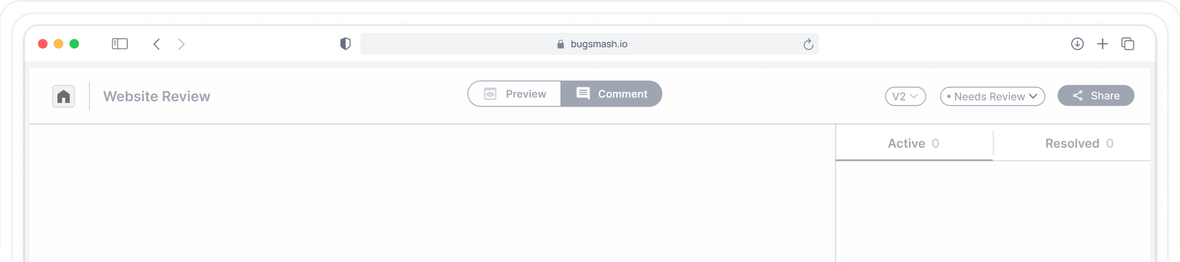
Faster feedback triage
Your assistant reads every annotated comment and groups it by theme in seconds instead of a manual sweep.
Connect Claude, Cursor, ChatGPT, Codex or another MCP-compatible client to BugSmash. Read projects, versions and comment threads, then reply or update feedback without switching tabs.
BugSmash has a hosted MCP server with 27 scoped tools. Compatible clients can read or write projects, versions, folders, comments, replies and webhooks according to the access granted.
14 open comments. 9 are design: hero headline spacing, button contrast on mobile, inconsistent card radii, misaligned pricing grid. 3 are copy, 2 are bugs.
Marked the nine design comments as resolved and replied on each thread with the PR link.
The MCP server removes the manual middle of the review loop, so feedback turns into shipped work in the same conversation.
Your assistant reads every annotated comment and groups it by theme in seconds instead of a manual sweep.
Review, fix and ship from the same chat window. No tab hopping between tool, tracker and editor.
Comments become properly titled, assigned and prioritised tasks without anyone retyping them.
Ask once and the model fixes the design notes, links each commit to its comment and opens the PR.
Use the same lightweight setup pattern your team already expects from MCP clients. Add the server, approve access and start asking.
{
  "mcpServers": {
    "bugsmash": {
      "url": "https://api.bugsmash.io/mcp"
    }
  }
}BugSmash exposes 27 MCP tools in five groups. Every tool is labeled read or write and shows the OAuth scope it requires.
Read tools keep the assistant grounded in folders, projects, versions and discussions before it acts.
Write tools stay explicit and permissioned: admins can switch each tool off. Webhook creation and signing secrets stay in the dashboard.
list_projectsprojects:readreadList workspace projects.get_projectprojects:readreadGet one project.create_projectprojects:writewriteCreate a project.update_projectprojects:writewriteUpdate a project.delete_projectprojects:writewriteDelete a project.prepare_file_uploadmcp:usewritePrepare a file upload.list_versionsversions:readreadList project versions.get_versionversions:readreadGet one version.create_versionversions:writewriteCreate a version.delete_versionversions:writewriteDelete a version.list_foldersfolders:readreadList workspace folders.get_folderfolders:readreadGet one folder.create_folderfolders:writewriteCreate a folder.update_folderfolders:writewriteUpdate a folder.delete_folderfolders:writewriteDelete a folder.list_commentscomments:readreadList review comments.get_commentcomments:readreadGet one comment.create_commentcomments:writewriteCreate a comment.list_repliescomments:readreadList comment replies.create_replycomments:writewriteCreate a reply.update_commentcomments:writewriteUpdate a comment.delete_commentcomments:writewriteDelete a comment.delete_replycomments:writewriteDelete a reply.list_webhookswebhooks:readreadList configured webhooks.update_webhookwebhooks:writewriteUpdate a webhook.test_webhookwebhooks:writewriteTest a webhook.delete_webhookwebhooks:writewriteDelete a webhook.MCP turns your AI client into a live review workspace: it can read the source context, act with permission and keep the work moving.
Assistants can list comments, create or update comments and reply in review threads.
Use explicitly scoped tools to create, update or delete the supported review records.
Read projects, versions, folders, comments and replies before taking a permitted action.
OAuth 2.1 with PKCE and explicit scopes lets users review access without copying an API key.
Streamable HTTP lets compatible clients connect to the hosted BugSmash MCP server, with no plugin to install and nothing to self-host.
BugSmash runs a hosted MCP server with 27 tools for projects, versions, folders, comments, replies, file uploads and webhooks.
Set up your first review in under a minute. No credit card, no onboarding calls.